Taming AI Image Generation with JSON: An Experiment Report
I. The Trigger: An Interesting Article
Recently, I came across fofr.ai's JSON prompting tutorial, with a core argument:
Using JSON-structured prompts can make AI image generation more precise and repeatable.
Sounds great. But does it actually work?
As someone who's been frequently frustrated by AI image generation, I decided to test it out.
II. Experiment Design
Test Scenario:
Generate character art for a Japanese RPG game protagonist
-
Requirements: Black-haired shrine priestess, shrine background, golden hour lighting
-
Style: Anime watercolor
-
Purpose: Game character design
Comparison Methods:
-
Method A: Natural language prompts (my usual approach)
-
Method B: JSON-structured prompts (following fofr's method)
Evaluation Criteria:
-
Hit rate (percentage of usable images)
-
Time spent
-
Adjustability (how easy to modify specific details)
III. Experiment Results
Method A: Natural Language (Failed)
My prompt:
"A female shrine priest with long black hair, wearing traditional outfit, standing at a shrine during sunset"
Results:
-
Generated: 100 images
-
Usable: 5 images
-
Hit rate: 5%
-
Time spent: 2 hours
Actual generation result (one example):
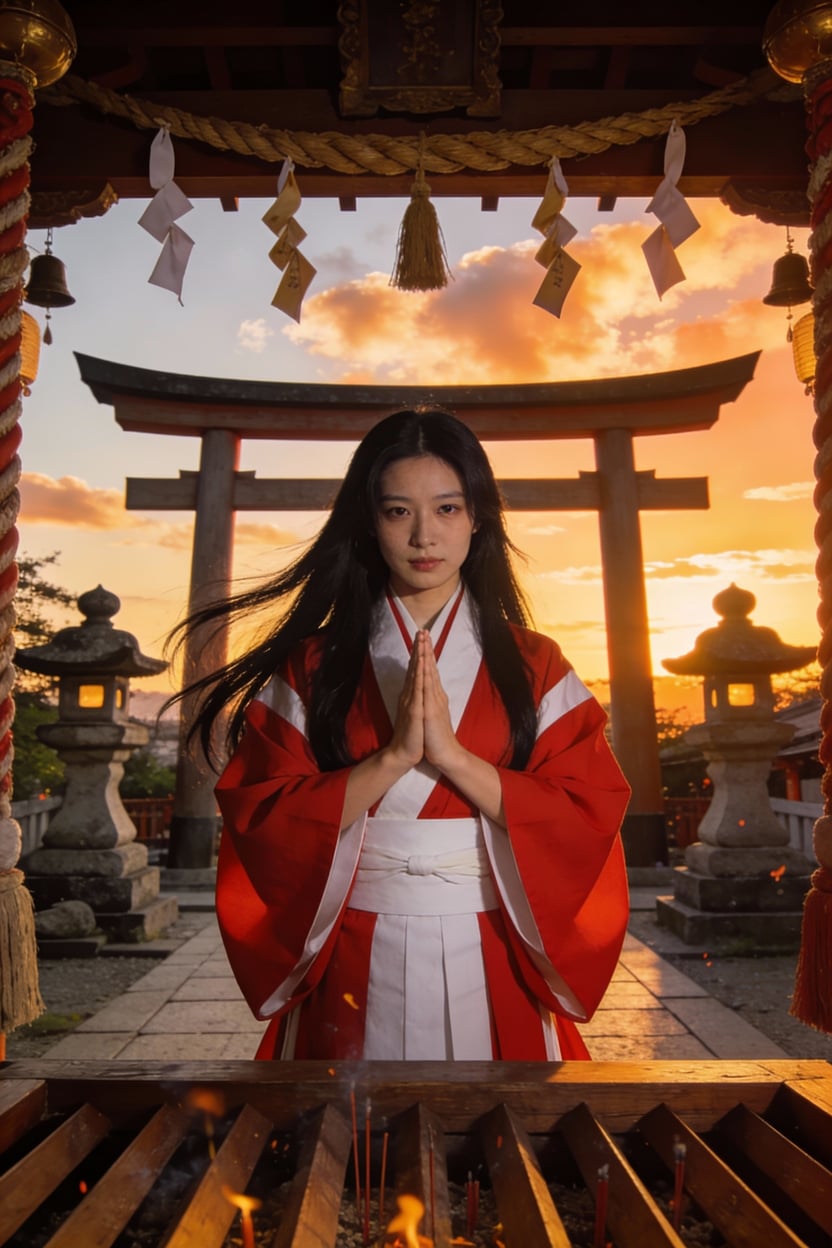
Result from natural language: While some elements are correct, the overall effect differs significantly from expectations
Failure reasons:
-
First 10 images: Hair is black, but either short or twin-tailed
-
Image 20: Finally long hair, but the scene moved to a forest
-
Image 35: Got the shrine, but the character became blonde
-
Image 42: All elements correct, but lighting is noon sun (not the golden hour I wanted)
Root problem:
Every word is ambiguous. How long is "long hair"? What time and color temperature is "sunset"? AI interprets differently each time—it's like rolling dice.
Method B: JSON Structured (Significant Improvement)
Following fofr's method, I broke down the requirements into 4 fields:
{
  "subject": "female shrine priest with long black hair, white miko outfit with red hakama, holding wooden staff",
  "style": "anime watercolor",
  "mood": "peaceful and sacred",
  "lighting": "golden_hour side_light"
}
Results:
-
Generated: 10 images
-
Usable: 8 images
-
Hit rate: 80%
-
Time spent: 15 minutes
Actual generation result (one example):
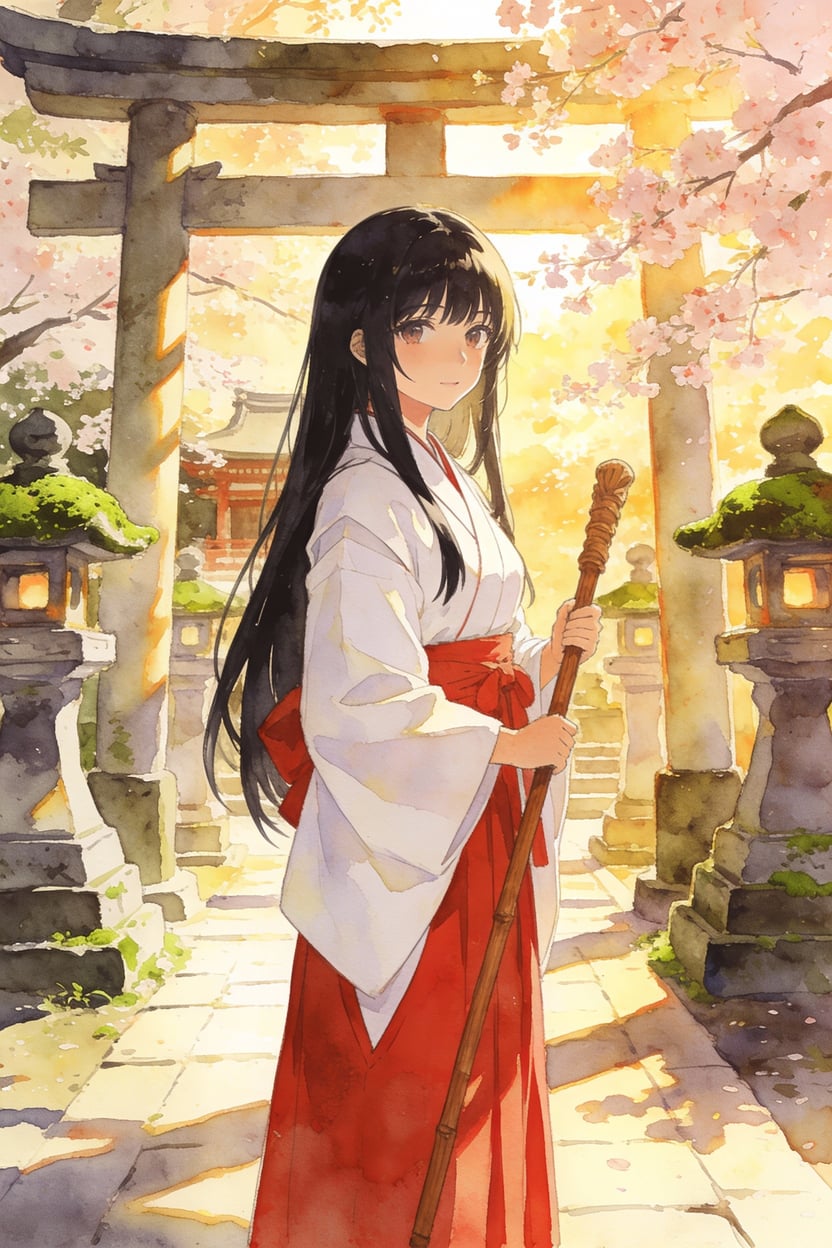
Result from JSON-structured prompt: Precise control over lighting, mood, and details
Comparison:
Left (natural language): Lighting, mood, and details not precise enough
Right (JSON): Each parameter locked down, results closer to expectations
Improvement reasons:
-
golden_houris more precise than "sunset" (1 hour before sunset, warm golden color) -
side_lightlocked down the light direction (not top light or back light) -
mood: "peaceful and sacred"influenced color tone and detail density
Data comparison:
-
Hit rate improvement: 16x (5% → 80%)
-
Time efficiency improvement: 8x (120 minutes → 15 minutes)
-
Generation quota savings: 90%
IV. Deep Dive: Why Does JSON Work?
The Core Issue: Natural Language Is Too Vague
Have you ever wondered why, despite your detailed descriptions, AI still misunderstands?
Because every adjective is ambiguous.
"Japanese RPG style"—Is it Final Fantasy's European-fantasy-meets-Japanese? Or Zelda's cel-shaded cartoon? Or Persona's urban dark aesthetic? 1000 people have 1000 different interpretations of "Japanese RPG."
"Long hair"—Waist-length? Shoulder-length? Or ankle-length? With bangs? Straight or curly? Tied up or loose?
"Golden hour"—What time? Summer or winter? Orange-red sunset clouds, or pale purple twilight?
Every adjective is a dice roll.
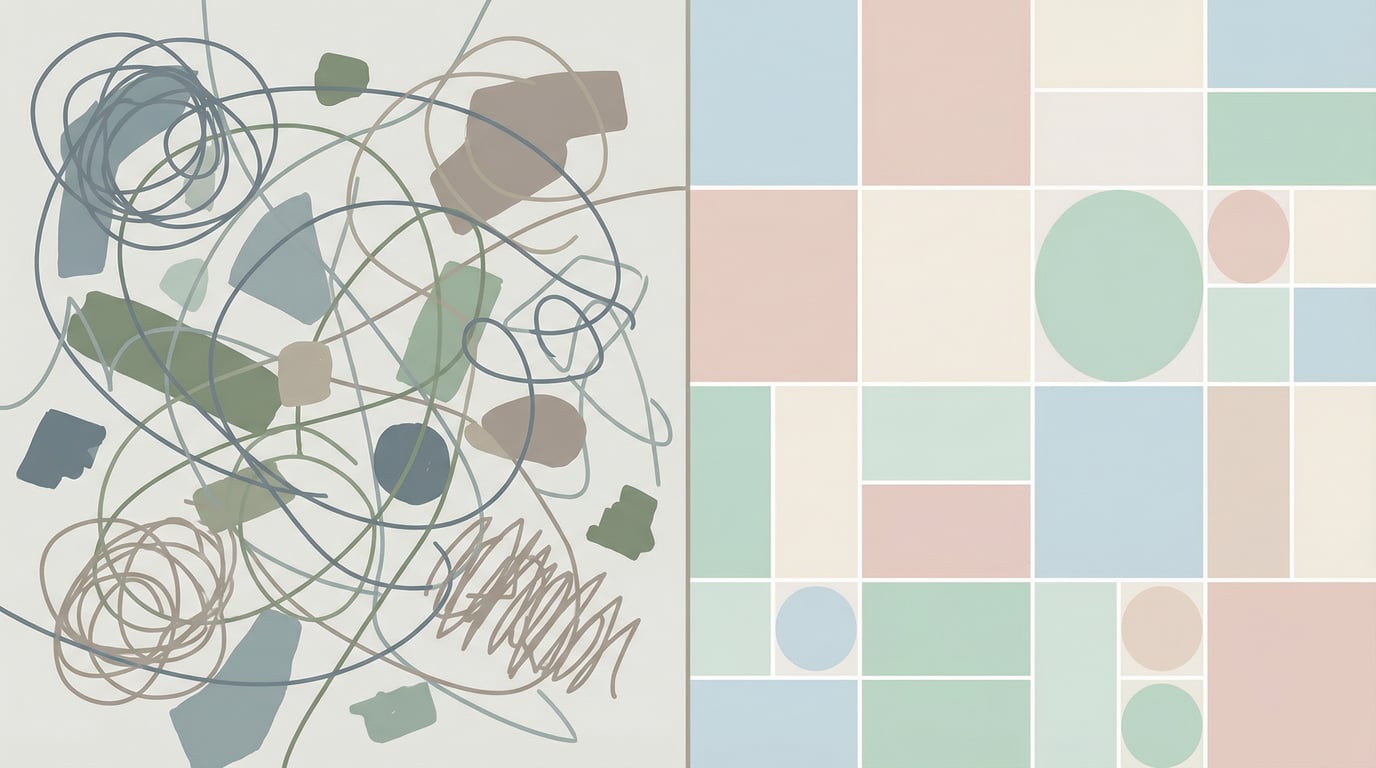
Left is vague natural language (chaos), right is structured JSON (order)
A More Critical Misconception: Detailed ≠ Precise
Many people think "being detailed enough equals precision."
Wrong.
It's like going to a coffee shop and saying: "Give me a good coffee, not too bitter, not too weak, medium temperature, preferably with some milk flavor but not too creamy."
Can the barista make what you want? Maybe. But more likely—what you get is worlds apart from what you imagined.
Compare this: "Medium Americano, light ice, no sugar, add an extra shot."
Which one gets you closer to what you want?
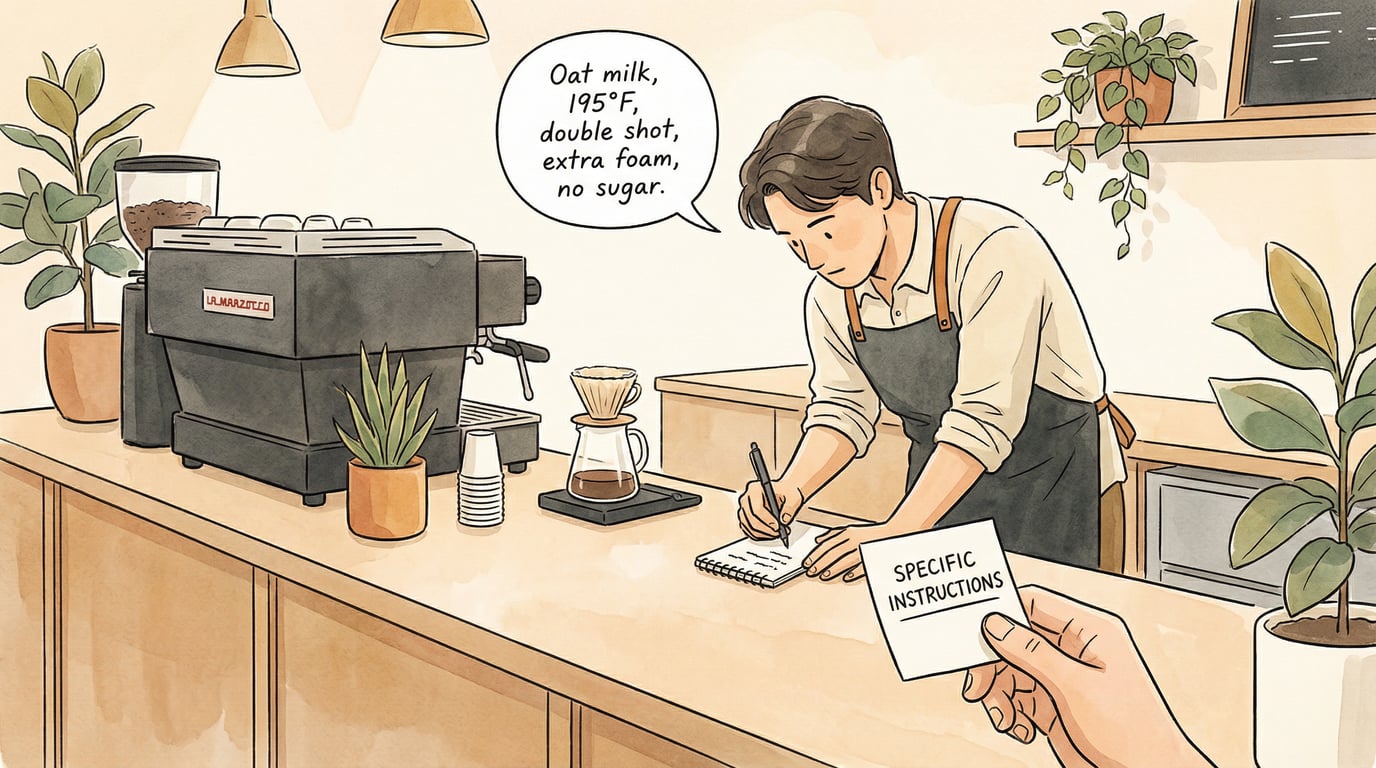
Precise instructions vs vague descriptions
Why Does JSON Work?
Here's the key insight:
Natural language is for humans, JSON is for AI.
AI model training data contains massive amounts of JSON format content—config files, API responses, database records, code snippets. It has seen countless times how "lighting": "golden_hour" corresponds precisely to what visual effect.
Using JSON prompts is like speaking AI's native language. Interpretation errors drop dramatically.
And JSON isn't programming. It's just filling in a form.
You don't need to know how to code, just what to fill in.
V. Core Discovery: 4 Fields Are Enough
fofr's article mentions many fields, but through actual testing, these 4 are the most critical:
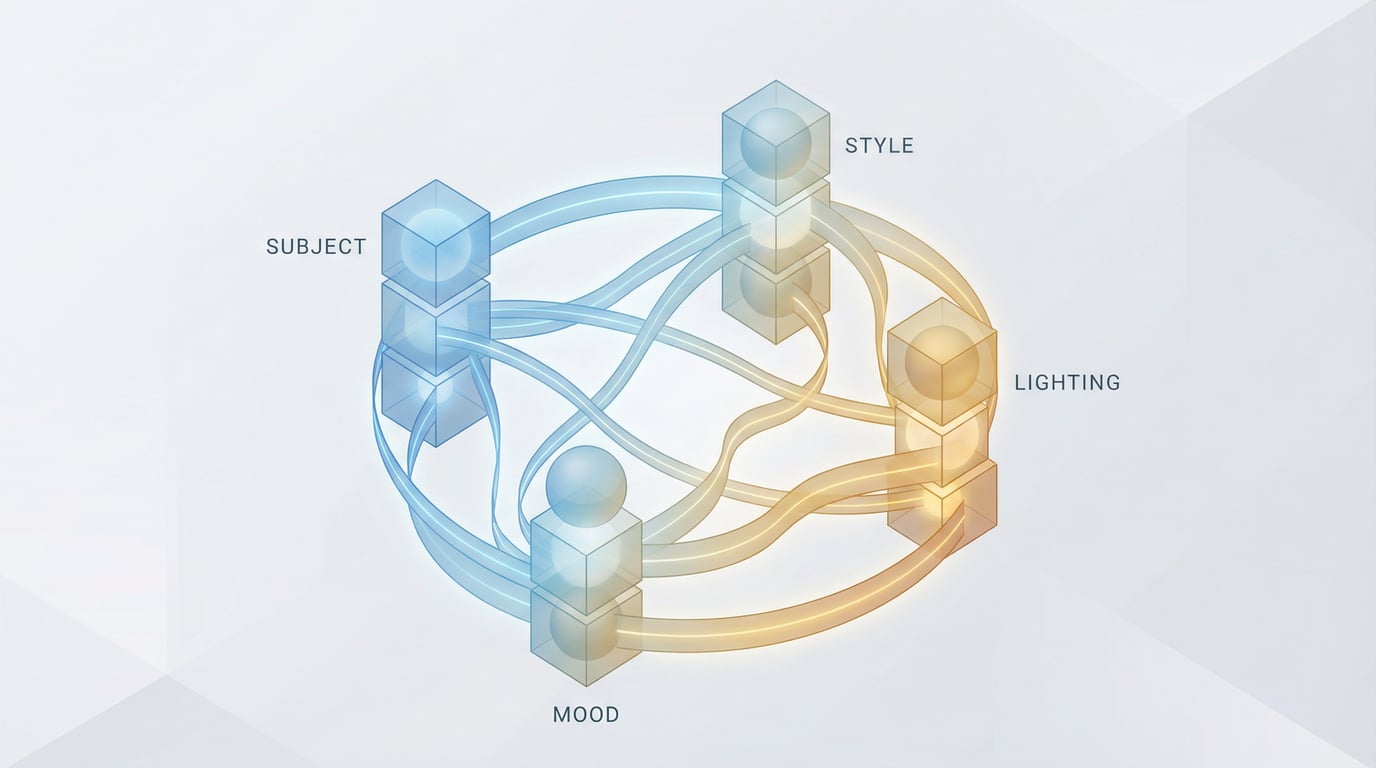
Subject, Style, Mood, Lighting constitute the core elements for controlling images
1. Subject - Main Subject
What to draw. Can be simple ("cat") or detailed (nested structure controlling hairstyle, clothing, pose)
Basic format:
{
  "subject": "female priest"
}
Detailed format:
{
  "subject": {
    "character": "female priest",
    "hair": "long black hair, straight, waist-length",
    "clothing": "traditional white shrine maiden outfit with red hakama",
    "accessories": "wooden staff with paper talismans",
    "pose": "standing upright, staff in right hand"
  }
}
Common structures:
-
Characters: demographics (age, gender), face, hair, body, pose, attire
-
Animals: species, breed, age, pose
-
Objects: type, material, condition, placement
-
Scenes: location, time, weather
2. Style - Visual Style
Determines what the image looks like:
Common types:
-
Art styles: watercolor, oil painting, anime, pixel art
-
Technical styles: photorealistic, 3D render, sketch
-
Period styles: retro 80s, art nouveau, cyberpunk
Hybrid format:
{
  "style": "anime watercolor with soft edges"
}
You can combine multiple style terms, but two principles to avoid pitfalls:
-
Don't exceed 3 (too many will conflict)
-
Ensure they don't contradict (like "photorealistic anime" is contradictory)
3. Mood - Atmosphere
The emotion and feeling of the image. Easy to overlook, but hugely impactful.
Common terms:
-
peaceful
-
energetic
-
mysterious
-
dramatic
-
melancholic
-
nostalgic
Combination tips:
2-3 words are enough, more creates confusion.
{
  "mood": "peaceful and nostalgic"
}
Actual impact:
Mood directly affects:
-
Color tone (warm vs. cool)
-
Light softness
-
Detail density (dramatic images usually have more details)
-
Contrast
4. Lighting - Illumination
The most important field.
Lighting determines 80% of an image's atmosphere. Same scene, different lighting—completely different images.
Time-based lighting:
-
dawn: Dawn, cool blue-purple tones -
golden_hour: Golden hour (1 hour after sunrise / before sunset), warm golden color -
noon: Midday, strong top light, high contrast -
dusk: Dusk, orange-red -
night: Nighttime, low light -
blue_hour: Blue hour (20 minutes after sunset), deep blue-purple
Light source types:
-
sunlight: Natural sunlight -
neon: Neon lights (cyberpunk essential) -
candlelight: Candlelight -
moonlight: Moonlight -
studio_light: Studio lighting
Direction:
-
front_light: Front light (flat feel) -
back_light: Backlight (rim light, dramatic) -
side_light: Side light (strong dimensionality) -
top_light: Top light (mysterious)
Quick reference:
-
Want warmth? →
golden_hour+front_light -
Want coolness? →
blue_hour+side_light -
Want drama? →
dusk+back_light
VI. Experiment: The Power of Lighting
To verify lighting's impact, I did a comparison experiment:
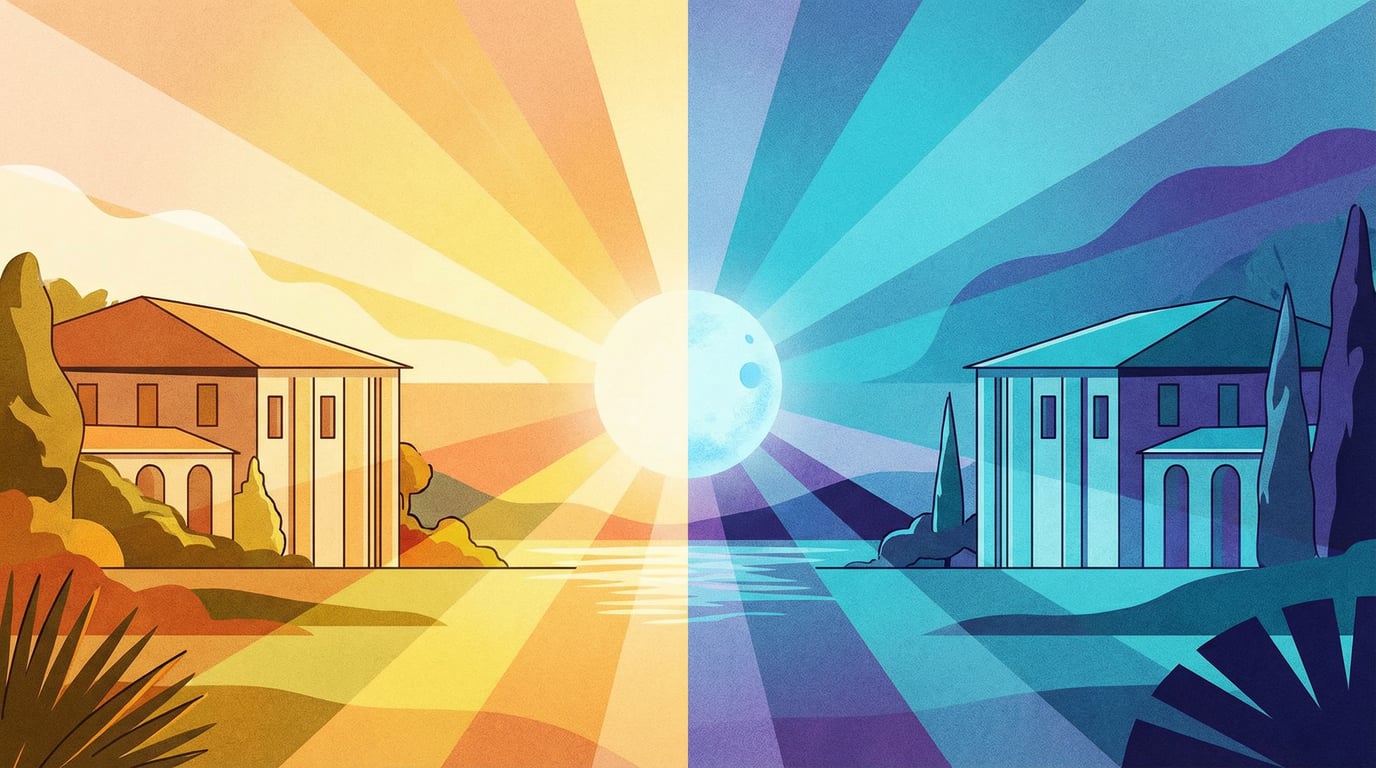
Same scene, different lighting, completely different atmospheres
Experiment design:
Same character (shrine priestess), only changing the lighting parameter.
Technical note:
To ensure character consistency, I used the reference image technique:
-
First generate 1 baseline image
-
Use it as reference to generate 3 other variants
-
Tell AI: "Keep the character and composition, only change lighting"
(This is a key practical technique, explained in detail below)
Results:
1. Golden Hour + Side Light (Warmth)
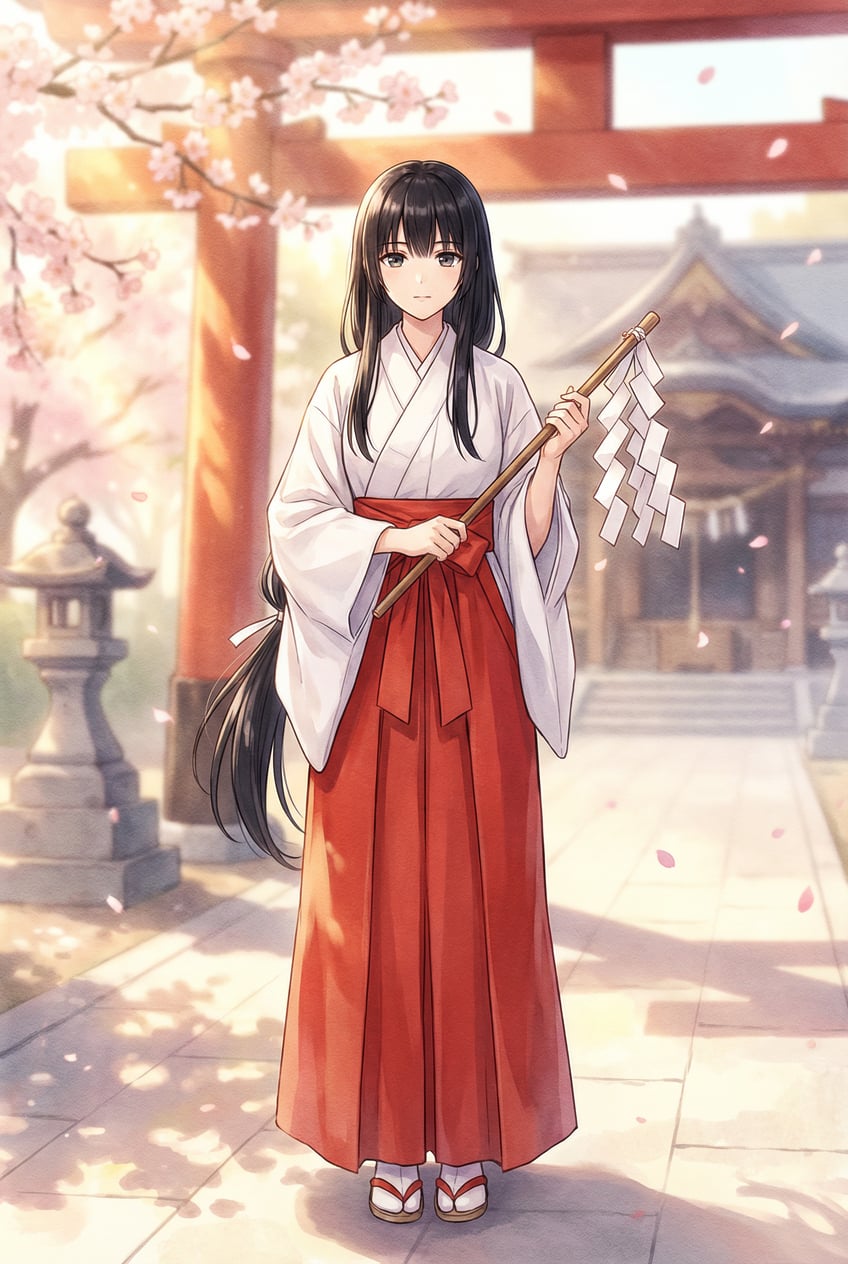
"lighting": { "time": "golden_hour", "direction": "side_light" }
2. Blue Hour + Side Light (Coolness)
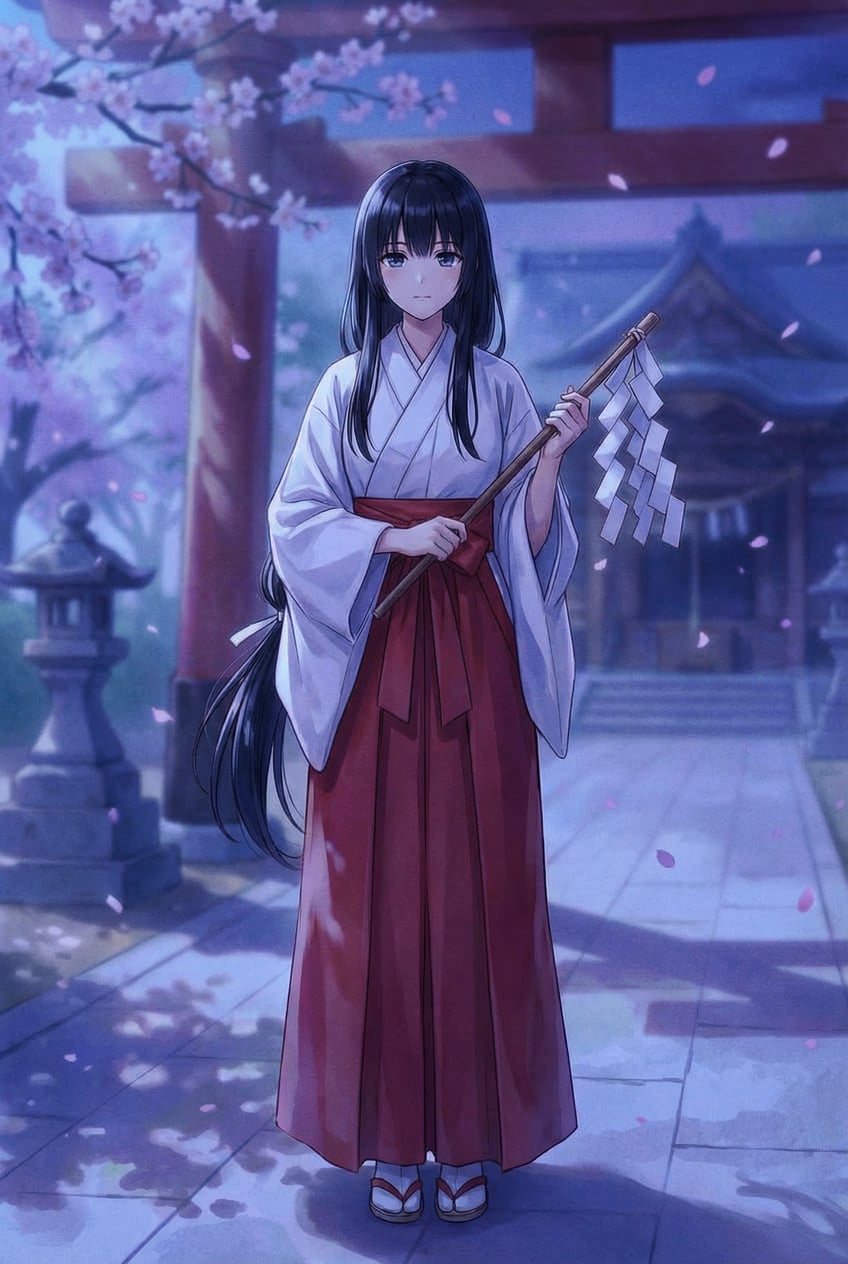
"lighting": { "time": "blue_hour", "direction": "side_light" }
3. Dusk + Back Light (Drama)

"lighting": { "time": "dusk", "direction": "back_light" }
4. Noon + Top Light (Strong Contrast)
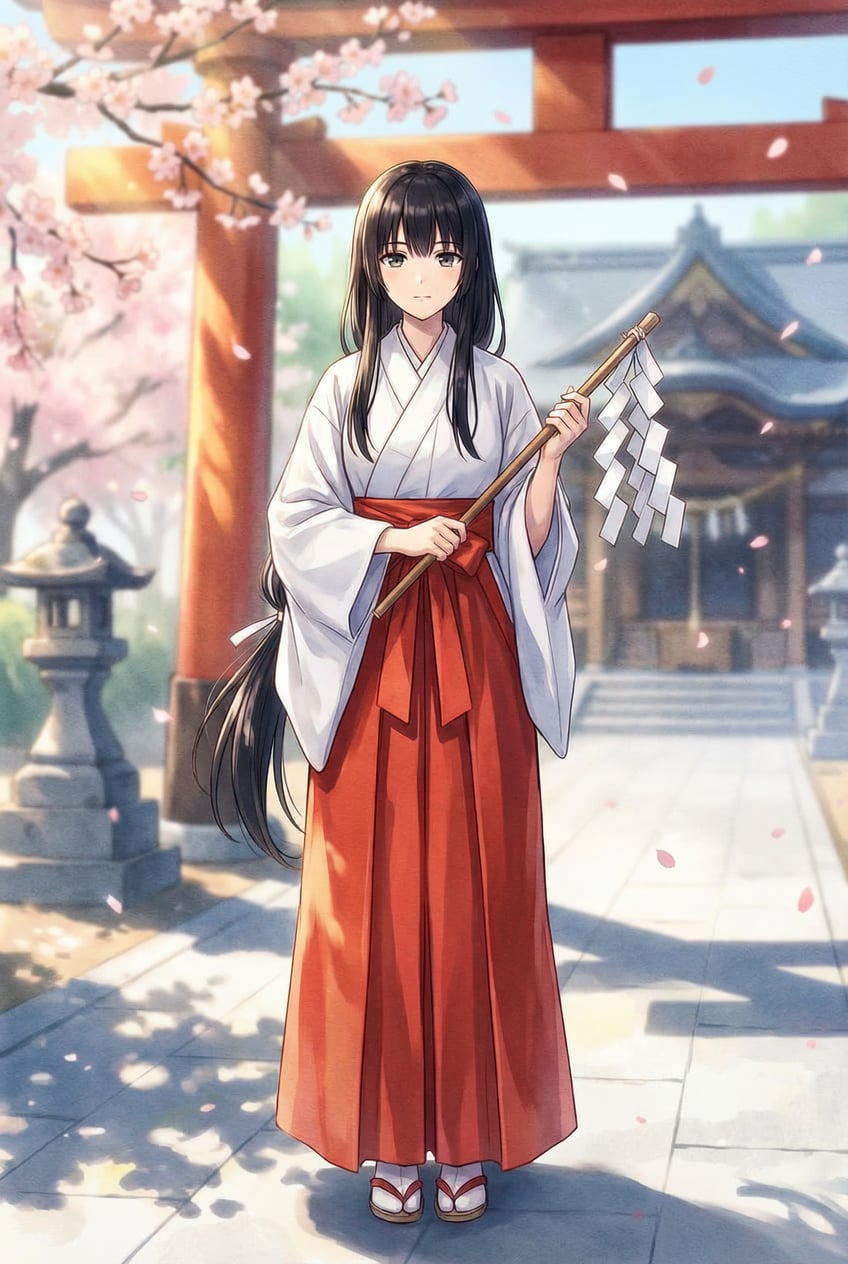
"lighting": { "time": "noon", "direction": "top_light" }
Conclusion:
Lighting truly dominates 80% of an image's atmosphere. Same character and scene, change one parameter, completely different effect.
VII. Practical Cases: Three Different Scenarios
To test JSON's versatility, I tested two completely different scenarios:
Case 1: Game Character Art
Basic version (recommended for beginners):
{
  "subject": "female shrine priest with long black hair, white miko outfit with red hakama, holding wooden staff",
  "style": "anime watercolor",
  "mood": "peaceful and sacred",
  "lighting": "golden_hour side_light"
}
Basic version is sufficient. When you need more precise control, use the advanced nested structure version.
Advanced version (when needing more control):
{
  "subject": {
    "character": "female shrine priest",
    "hair": "long straight black hair, waist-length",
    "clothing": "white shrine maiden outfit with red hakama pants",
    "accessories": "wooden staff with paper talismans",
    "pose": "standing confidently, staff in right hand"
  },
  "style": "anime with soft watercolor texture",
  "mood": "peaceful and sacred",
  "lighting": {
    "time": "golden_hour",
    "type": "sunlight",
    "direction": "side_light",
    "details": "warm golden light filtering through torii gate"
  },
  "background": {
    "setting": "traditional Japanese shrine",
    "elements": "red torii gate, stone lanterns, cherry blossom petals",
    "depth": "shallow focus, background slightly blurred"
  }
}
Effect: You'll get a shrine priestess illustration with warm lighting, sacred atmosphere, and precise details. Golden hour light shines from the side, filtering through the torii gate, creating soft shadows on the character. Background slightly blurred, highlighting the subject.
Compared to natural language version:
"A female shrine priest with long black hair, wearing traditional outfit, standing at a shrine during sunset"
See the difference? The JSON version specifies "sunset" to "golden_hour" (1 hour before sunset), sets light direction to "side_light," and defines mood as "peaceful and sacred." Every detail is locked down.
Case 2: Cyberpunk Street Scene
{
  "subject": {
    "main": "rain-soaked cyberpunk street",
    "elements": "neon signs, street vendors, hovering vehicles"
  },
  "style": "photorealistic with cinematic color grading",
  "mood": "mysterious and energetic",
  "lighting": {
    "time": "night",
    "type": "neon",
    "colors": ["pink", "cyan", "purple"],
    "details": "reflections on wet pavement, strong color contrast"
  },
  "composition": {
    "angle": "low angle, looking up at buildings",
    "rule": "leading lines from street converging to vanishing point"
  },
  "weather": "light rain, mist"
}
Effect: You'll get a Blade Runner 2049-style street scene—rain-soaked pavement reflecting neon lights, with pink, cyan, and purple lights creating strong contrast. Low-angle shot looking up, street extending to a distant vanishing point, towering buildings. Mist and light rain add mystery.
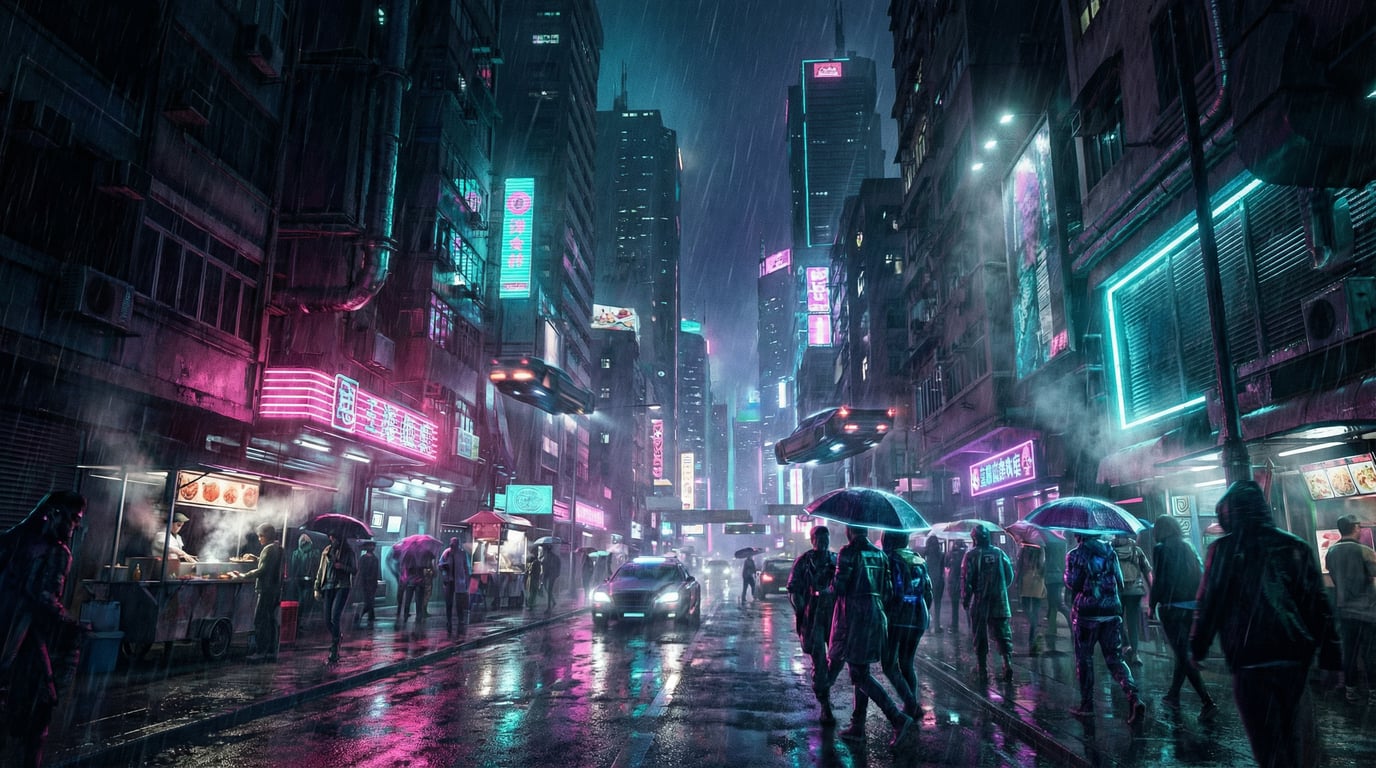
Using JSON to precisely control neon colors (pink/cyan/purple), camera angle (low angle), and weather (light rain)
Why it works:
-
lighting.colorsdirectly specifies neon colors -
composition.anglelocks down camera position -
weatheradds atmospheric details
Case 3: Product Rendering
{
  "subject": {
    "product": "wireless earbuds",
    "material": "matte white plastic with metallic accents",
    "placement": "floating on clean surface"
  },
  "style": "3D render, minimalist",
  "mood": "clean and modern",
  "lighting": {
    "type": "studio_light",
    "setup": "three-point lighting",
    "details": "soft shadows, rim light on edges"
  },
  "background": {
    "color": "gradient from light gray to white",
    "texture": "smooth, no distractions"
  },
  "technical": {
    "focus": "razor sharp",
    "depth_of_field": "infinite"
  }
}
Effect: Professional-grade product rendering, earbuds floating on clean background, three-point lighting creating soft shadows, rim light outlining edges. Background is a gradient from light gray to white, completely non-distracting.
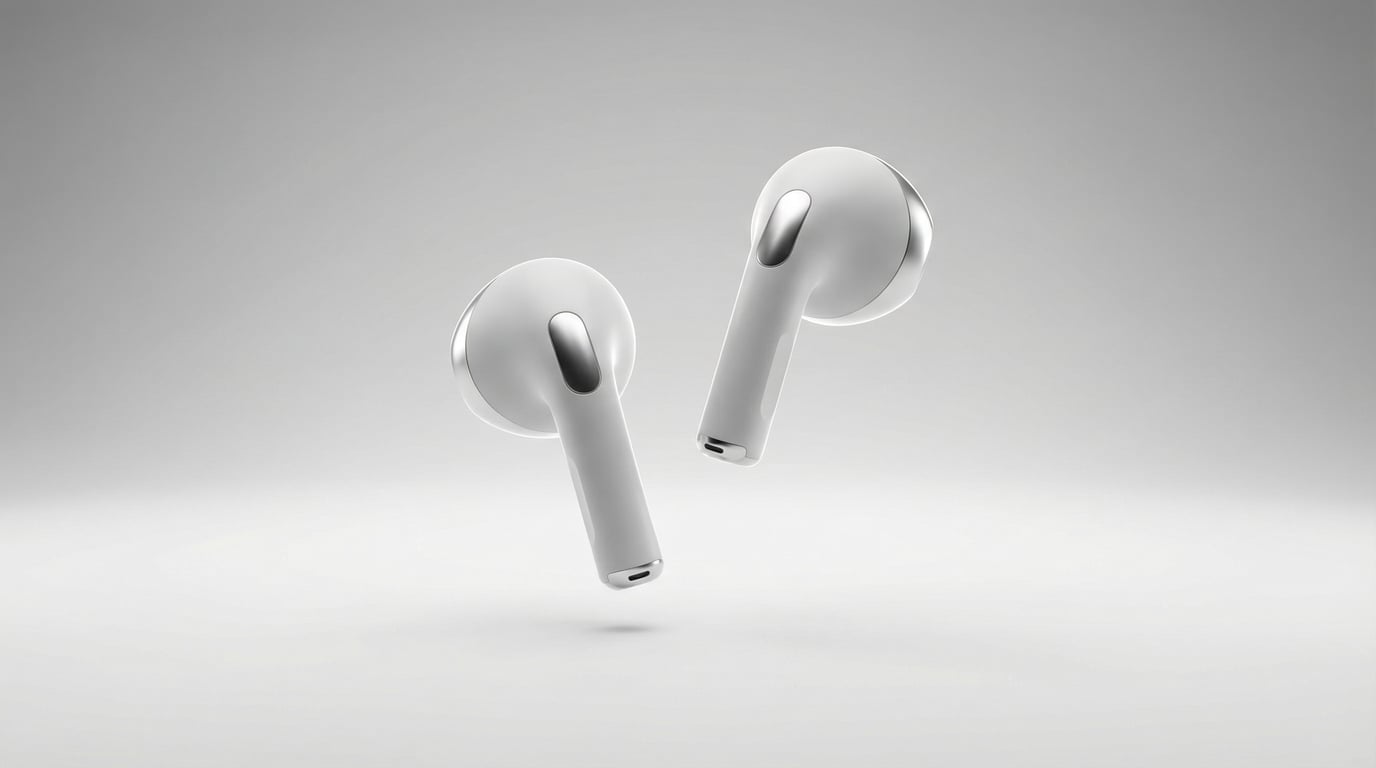
Three-point lighting + infinite depth of field + clean background, professional product shot generated in one go
Key points:
-
lighting.setup: "three-point lighting"directly invokes photography's standard lighting scheme -
technical.depth_of_field: "infinite"ensures entire product is sharp -
background.texture: "smooth, no distractions"avoids background clutter
VIII. Unexpected Discovery: Consistency Is a Challenge
Problem encountered during experiments:
When I wanted to generate "multiple versions of the same character," I found that even using identical JSON, AI generates characters with slightly different appearances (facial features, poses, details) each time.
This is AI's randomness. fofr's article didn't emphasize this point.
Maintaining Character Consistency: Advanced Techniques
Reality:
Even with identical JSON, AI generates slightly different character details each time. This is AI's randomness.
If you need "multiple versions of the same character" (like different lighting, different expressions), there are two methods:
Method 1: Fixed seed (random seed)
{
  "subject": "cat",
  "style": "watercolor",
  "mood": "peaceful",
  "seed": 12345  // Lock this number
}
Change mood or lighting, but keep seed unchanged, and the character will be relatively consistent.
Tool support:
-
Midjourney: Use
--seed 12345 -
ComfyUI / Automatic1111: Set seed in interface
-
DALL-E: Not supported (cannot fix seed)
Limitations:
-
Only ensures "relative consistency," not 100% identical
-
When parameters change too much, seed also fails
Method 2: Use reference image (most stable) ⭐
This is the method I used to generate demo images:
Steps:
-
First generate 1 satisfactory baseline image
-
Upload this image as reference in the tool (or use image URL)
-
Write prompt: "Keep the character, pose, and composition from the reference image, only change lighting to blue_hour"
Tool support:
-
Midjourney: Use
image URL + prompt -
DALL-E (ChatGPT): Upload image, say "keep this character, change..."
-
ComfyUI: Use ControlNet or img2img nodes
Effect:
-
This is the most stable method
-
Character appearance and pose highly consistent
-
My shrine priestess and cat demos were generated this way
When do you need consistency?
Don't need:
-
You just want to quickly generate one image
-
Variation between generations doesn't matter
Need:
-
Doing character design (multiple expressions/poses of same character)
-
Making tutorial demos (showing parameter comparisons)
-
Creating brand materials (maintaining visual unity)
Beginner advice:
Don't worry about consistency at first, focus on using JSON to control single-image effects. Once proficient, explore seed and reference images.
IX. Supplementary Experiment: Mood Atmosphere Control
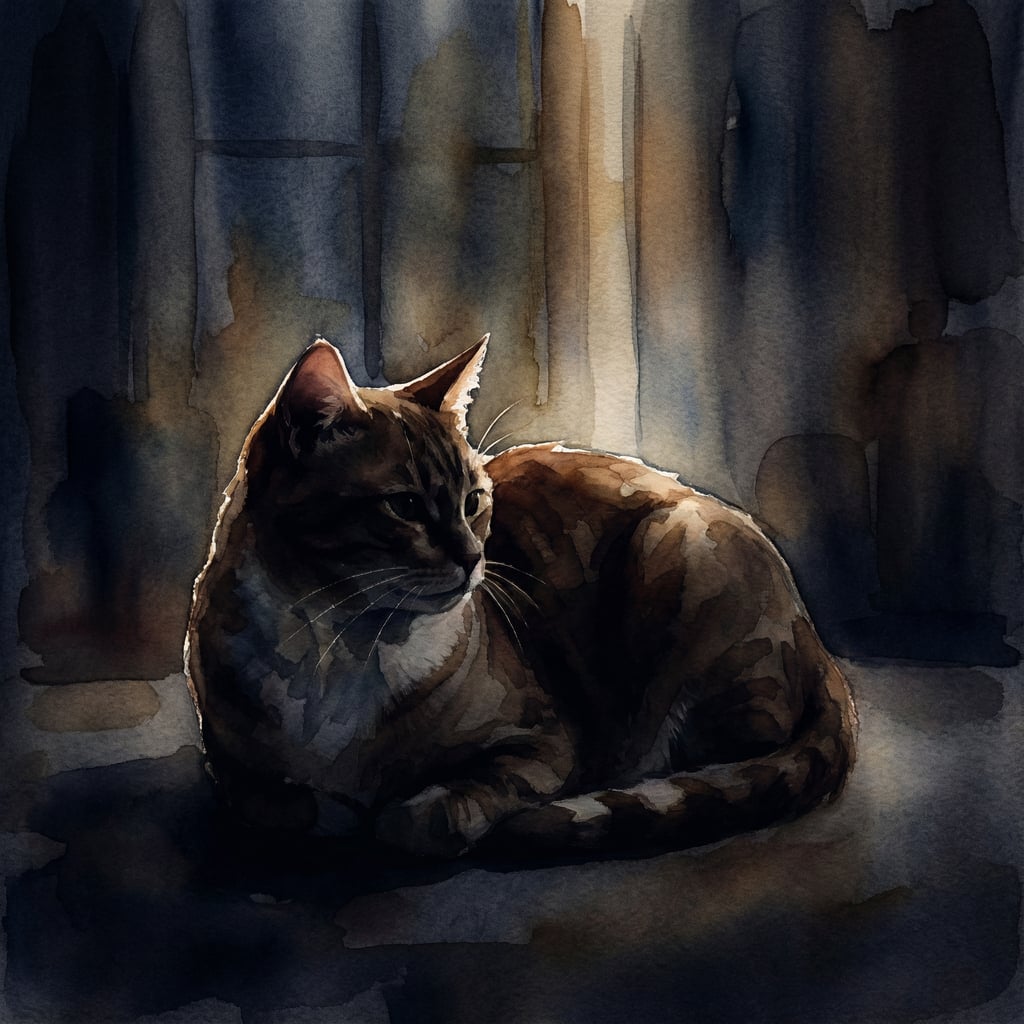
Using the simplest template, I did another comparison experiment on the Mood parameter:
Baseline template:
{
  "subject": "cat",
  "style": "watercolor",
  "mood": "peaceful",
  "lighting": "soft_morning_light"
}
Only changing the mood parameter to see the difference:
Peaceful
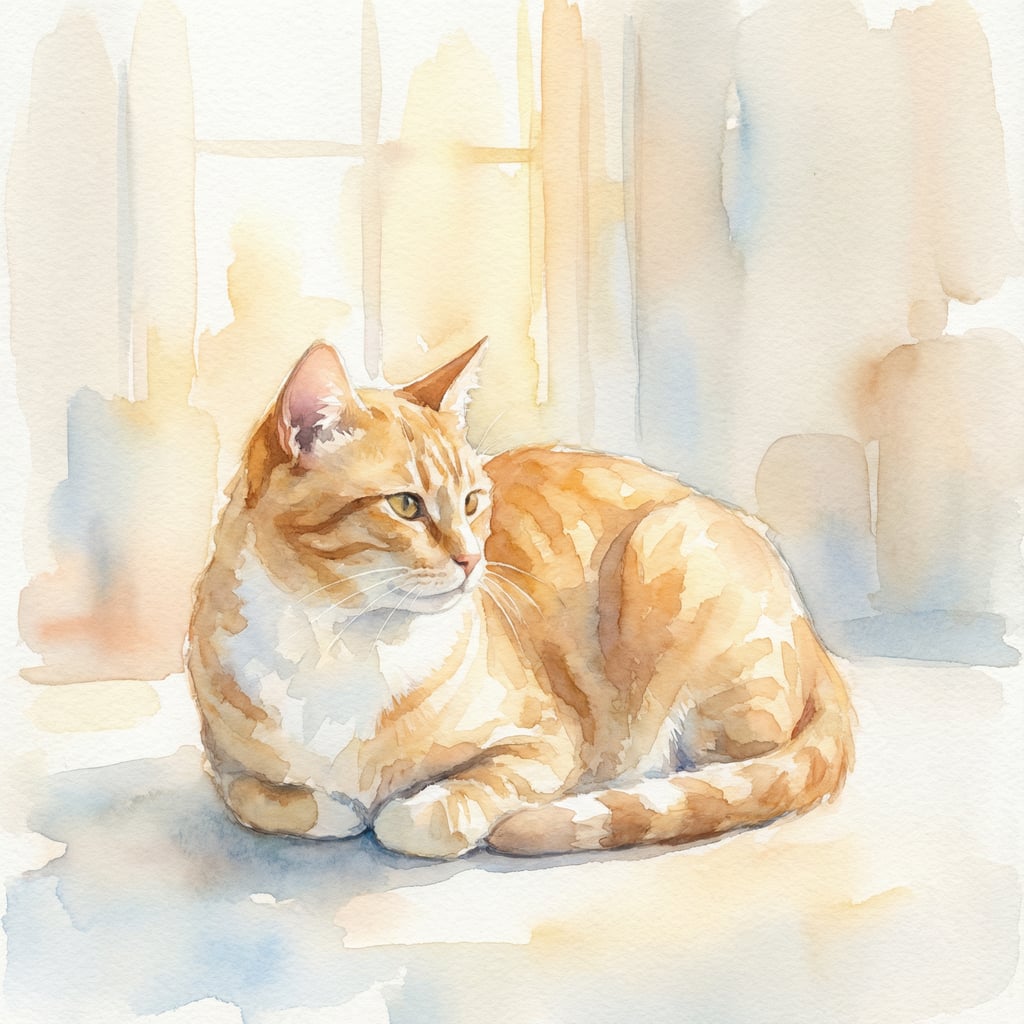
Mysterious
Dramatic
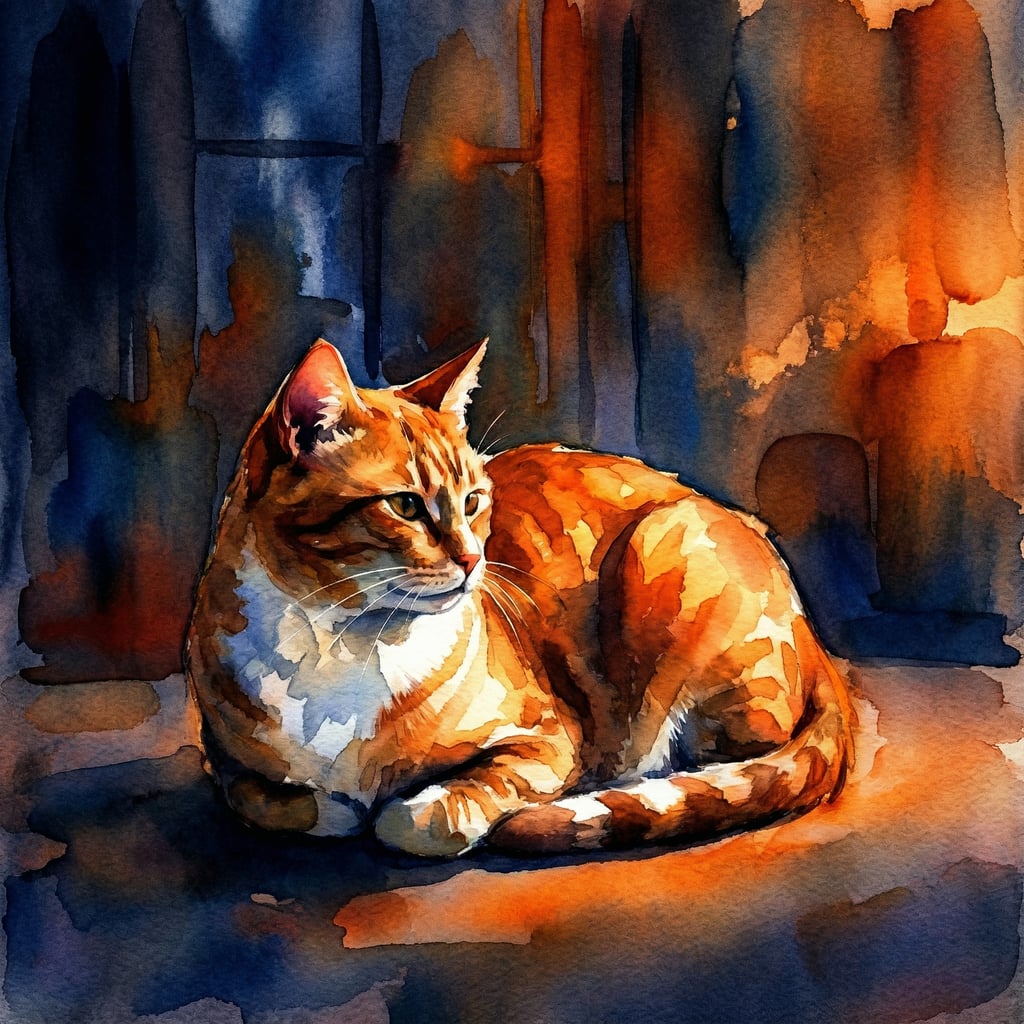
Conclusion:
Same subject, same style, only changing mood, completely different atmosphere. This is JSON's charm.
X. Advanced Fields: Not Needed 80% of the Time
The basic 4 fields (subject / style / mood / lighting) solve 80% of scenarios. But if you want more precise control, here are additional options:
Composition-related:
-
composition_rule: "rule of thirds," "golden ratio" -
camera_angle: "bird's eye view," "worm's eye view" -
focal_length: "24mm wide angle," "85mm portrait"
Detail control:
-
color_palette: ["#FF6B6B", "#4ECDC4", "#FFE66D"] (use hex color values directly) -
weather: "fog", "snow", "storm" -
season: "autumn", "spring"
Technical parameters:
-
aspect_ratio: "16:9", "1:1", "9:16" -
detail_level: "high detail", "minimalist" -
texture: "rough", "glossy", "matte"
Metadata:
-
negative_prompt: List elements you don't want -
seed: Fix random seed to reproduce same results
When to use?
Only add when the basic 4 fields can't meet your needs. Don't bite off more than you can chew.
XI. Practical Advice
Getting Started
-
Start with 4 basic fields (subject / style / mood / lighting)
-
Use simple versions, don't jump into complex nested structures
-
Don't worry about "consistency" at first, focus on single-image effects
-
Generate more, compare how parameter changes affect results
Advanced Control
-
Only use nested structures when needing more details
-
Use seed or reference image when character consistency is needed
-
Gradually add fields based on needs (composition / weather / background)
-
Don't be greedy, basic 4 solve 80% of scenarios
Tool Selection
Tools:
-
Midjourney: Most mature, supports JSON
-
DALL-E 3: GPT-4 integrated
-
Flux: Open source, free
Template library:
-
Common field quick reference (you can organize your own)
Community:
-
Discord: Midjourney official server
-
Reddit: r/StableDiffusion
XII. Common Problem Troubleshooting
Q1: I copied the JSON, tool says "format error"
-
Check JSON format: bracket pairing, quotation marks paired, comma placement
-
Validate online: JSONLint
-
Some tools don't directly support JSON, need to convert to natural language (let ChatGPT help you convert)
Q2: Generated image is completely wrong, far from what I wanted
-
Simplify first: Only use 4 basic fields, remove all nesting
-
Check if field values are accurate (e.g., is
golden_hourspelled correctly?) -
Try a different tool (Midjourney / DALL-E / Flux have different comprehension abilities)
Q3: The elements I want never appear
-
Put the most important elements at the front of subject
-
Use negative_prompt to exclude distractions:
"negative_prompt": ["forest", "short hair"] -
Generate multiple images, pick the closest one
Q4: Style/mood different from expectations
-
Make style more specific: "anime" → "Studio Ghibli anime style"
-
Combine multiple moods:
"peaceful and nostalgic" -
Reference others' prompts, see how they describe
Q5: Character different every time, what to do?
-
This is normal, AI has randomness
-
If consistency needed, see "Maintaining Character Consistency" section above
-
Use seed or reference image
Q6: Which tools actually support JSON?
-
Native support: Midjourney (paste directly), Claude (understands structure)
-
Indirect support: DALL-E (needs conversion to natural language, but understands structured descriptions)
-
Needs plugins: ComfyUI / Automatic1111 (need custom nodes)
Still not working?
-
Post your JSON and generation results to community for help
-
Reddit r/StableDiffusion and Midjourney Discord are both very active
XIII. Conclusion
Does JSON prompting really work?
✅ Yes. My test data: Hit rate improved from 5% to 80%, time saved 8x.
But not as simple as imagined:
-
Consistency requires additional techniques (seed / reference image)
-
Different tools have different levels of support
-
Need practice to find what works for you
-
80% hit rate depends on specific scenarios and requirements
Core value isn't "guaranteed success," but:
-
Repeatability: Same JSON, relatively consistent results
-
Adjustability: Want to change a specific detail? Directly modify the corresponding field, no need to redescribe the entire scene
-
Understandability: Looking at someone else's JSON, can quickly understand each parameter's role
Advice for beginners:
-
Start with the simplest 4-field template
-
Don't be intimidated by complex nesting, basic version is sufficient
-
Experiment more, compare parameter changes
-
Seek community help when encountering problems
5 minutes to get started, results are night and day different. Give it a try and share your results in the comments.
References
-
Original article: Prompting with JSON - fofr.ai
-
JSON validation tool: JSONLint
-
Community: Midjourney Discord / Reddit r/StableDiffusion